
Pagic
A focused PDF reader and editor.
Open, edit, organize, compress, export and print PDFs from a clean desktop workspace.
Windows · Desktop · Local-first PDF workflows
Introduction
Pagic is a desktop PDF app designed for everyday reading, editing and document work.
It keeps common PDF tools together in a focused interface without turning simple tasks into complicated workflows.
Capabilities
Core PDF tools, thoughtfully arranged.
Read PDFs
Open and navigate PDF documents in a focused workspace.
Edit text
Edit existing text directly inside supported PDF documents.
Work with images
Move existing images within PDF pages.
Compress
Reduce PDF file size when needed.
Export
Access built-in document export and conversion workflows.
Print PDF documents through the native desktop workflow.
Recent files
Quickly return to recent documents.
Multiple documents
Work across multiple open PDFs using tabs.
Light & dark
Choose the interface that fits the workspace.
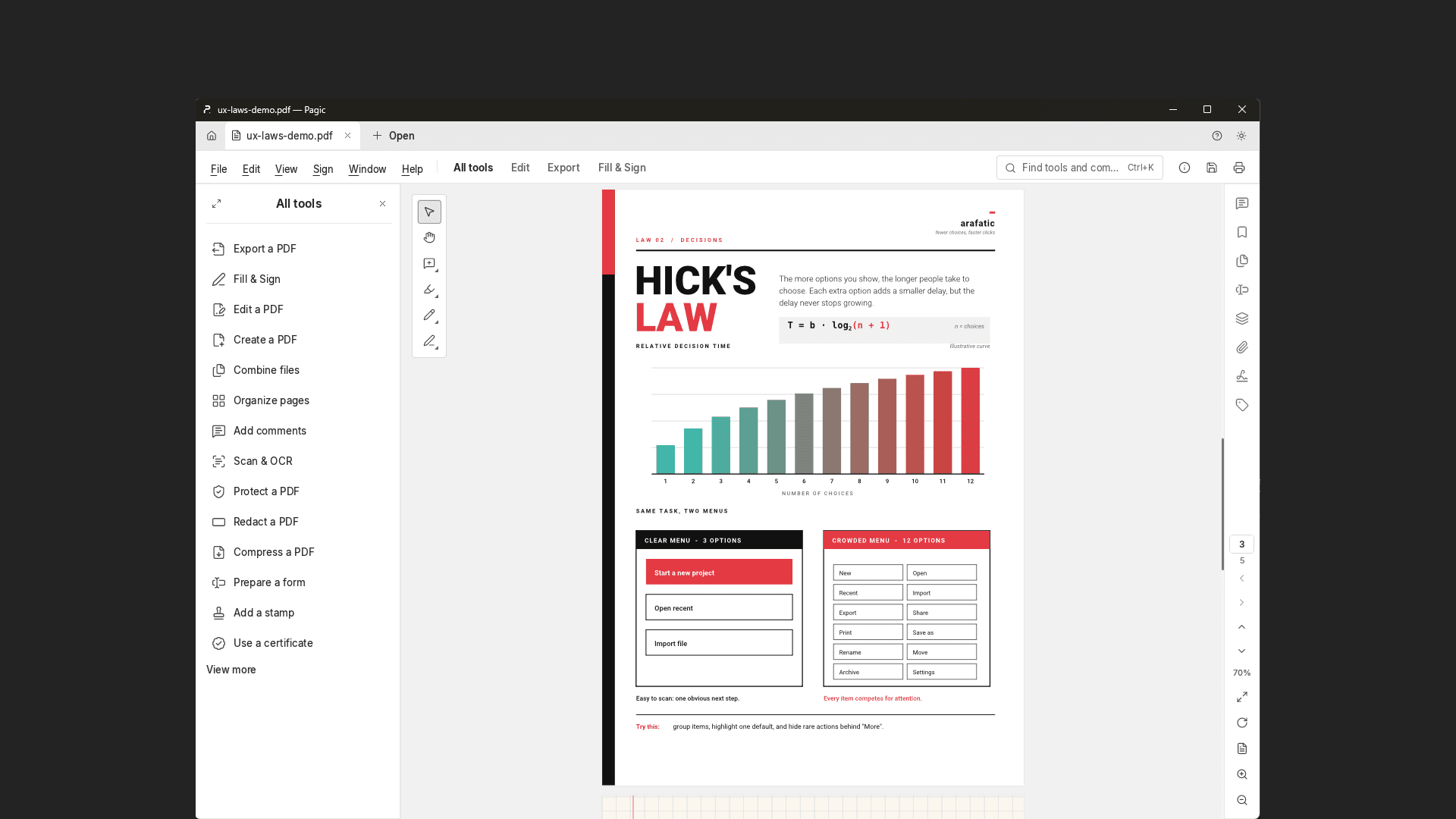
Designed to stay out of the way.
A focused workspace for reading, editing and working with PDFs without unnecessary interface clutter.
Local by default.
Core PDF workflows are designed to run on your computer. Your documents remain in the locations you choose.
OCR and Extensible Models
OCR model files are not bundled with the current release of Pagic. Compatible models can be installed separately if OCR functionality is needed.